Your day,
read for you.
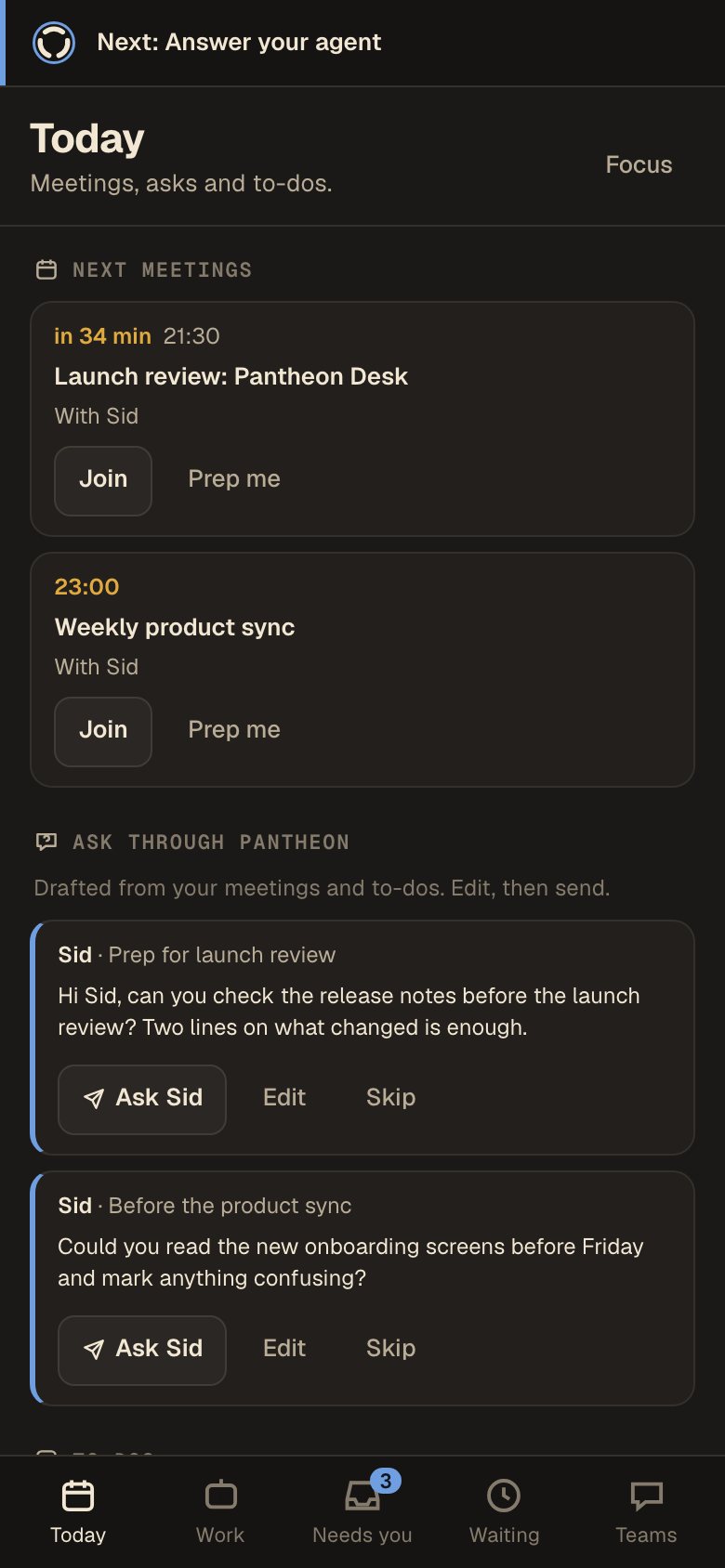
Your next meeting, and the question your teammate needs before it, drafted for you. Read it, then send it with one tap.
Asked Sid ✓
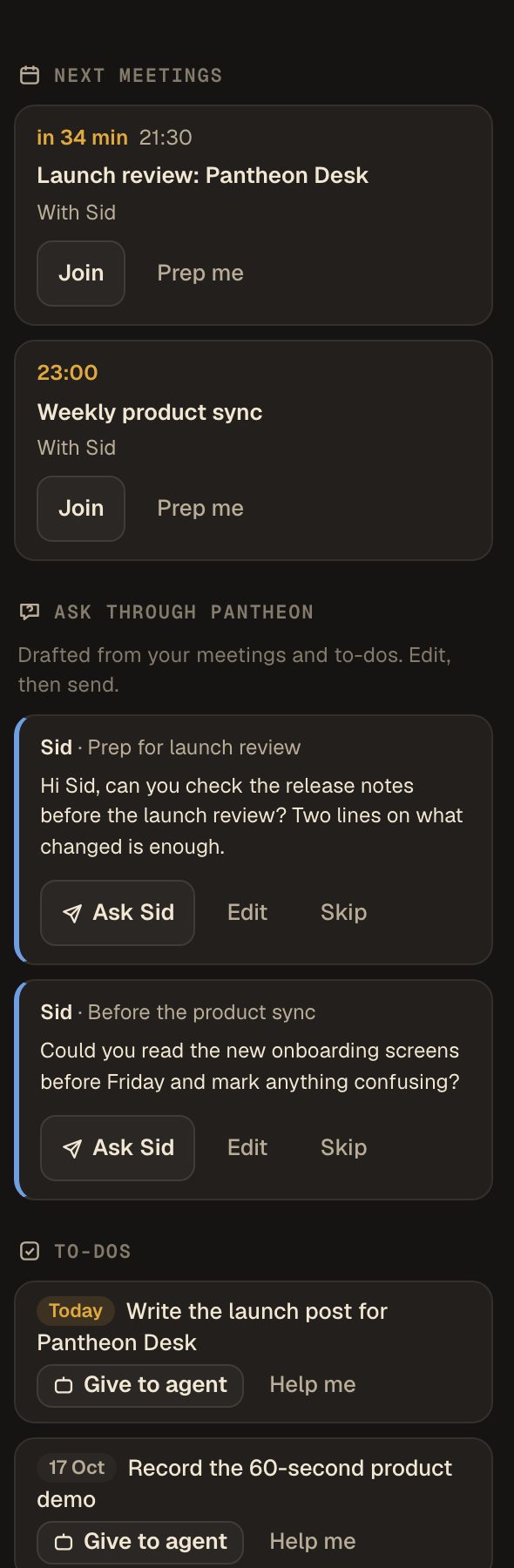
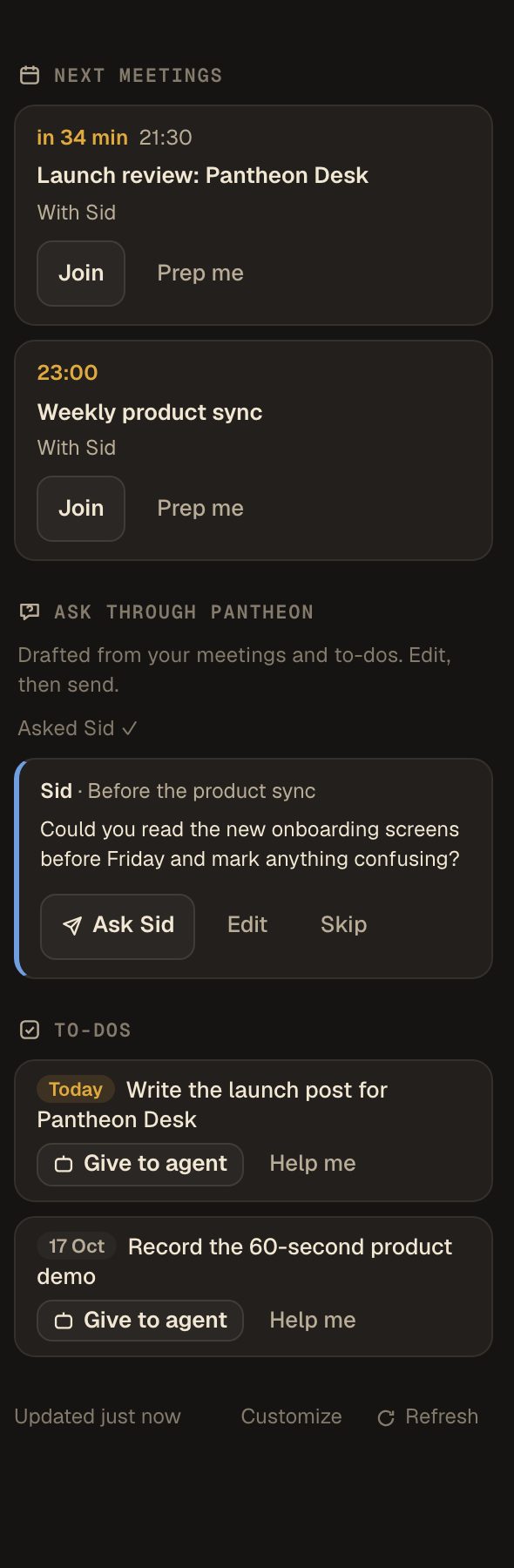
Desk is where your day starts: your agent chats, your team's asks, and a read of your calendar, email and to-dos, in one window. The other tabs can stay. You'll just need them less.
Your agents already work fast. The slow part is everything around them: the tabs, the pings, the "any update?" messages. Desk puts your chats, your team and your day in one window, and your agent only stops when something is yours to decide.
Your agent needs something only a teammate has, so it asks their agent through Pantheon. Their agent does the work, and the wording waits for the teammate. Play Sid and watch the answer come back.
Your next meeting, and the question your teammate needs before it, drafted for you. Read it, then send it with one tap.
Everyone keeps their own agent. Pantheon carries the asks and answers between them, and anything that needs a person goes to that person.
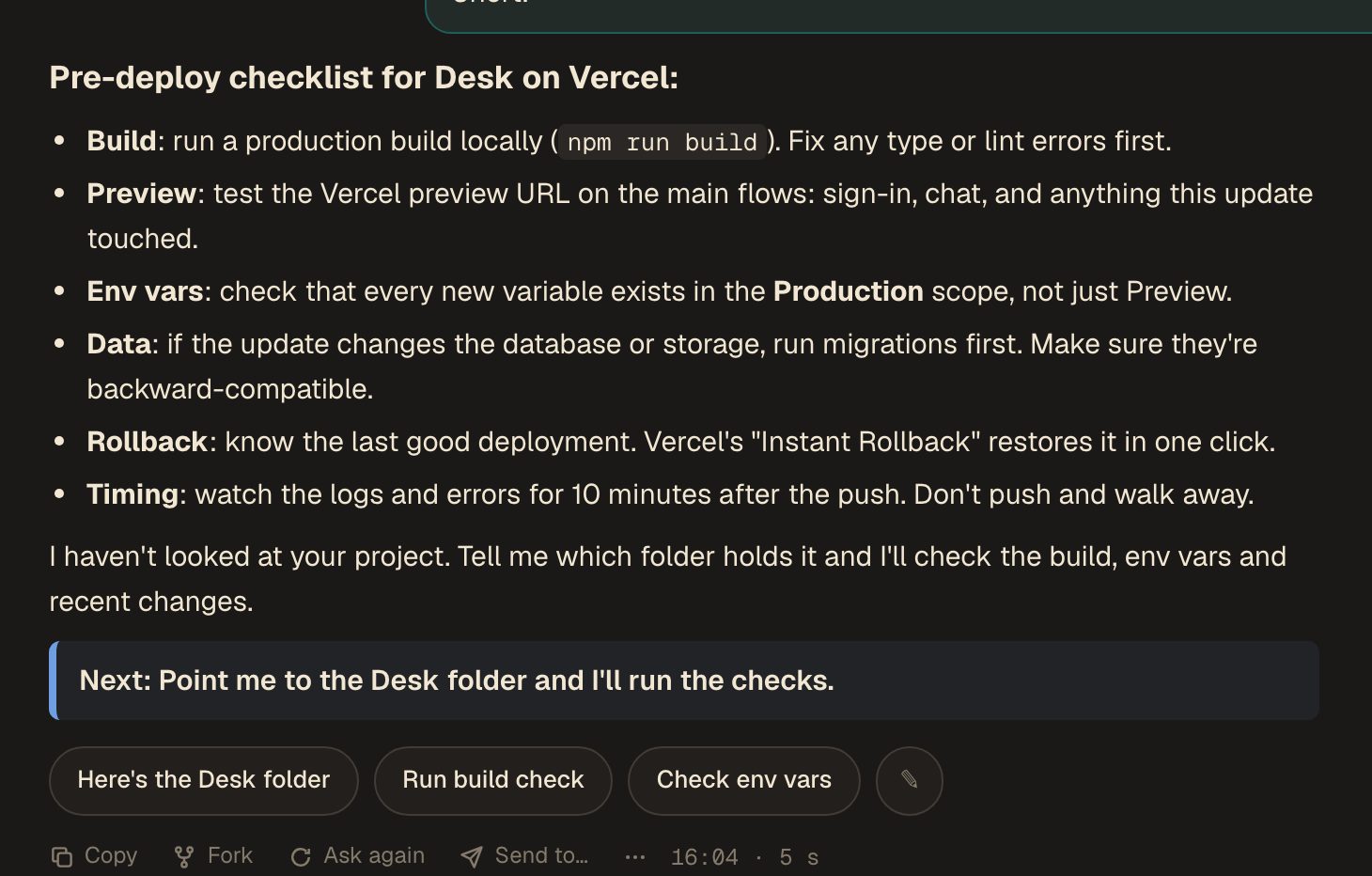
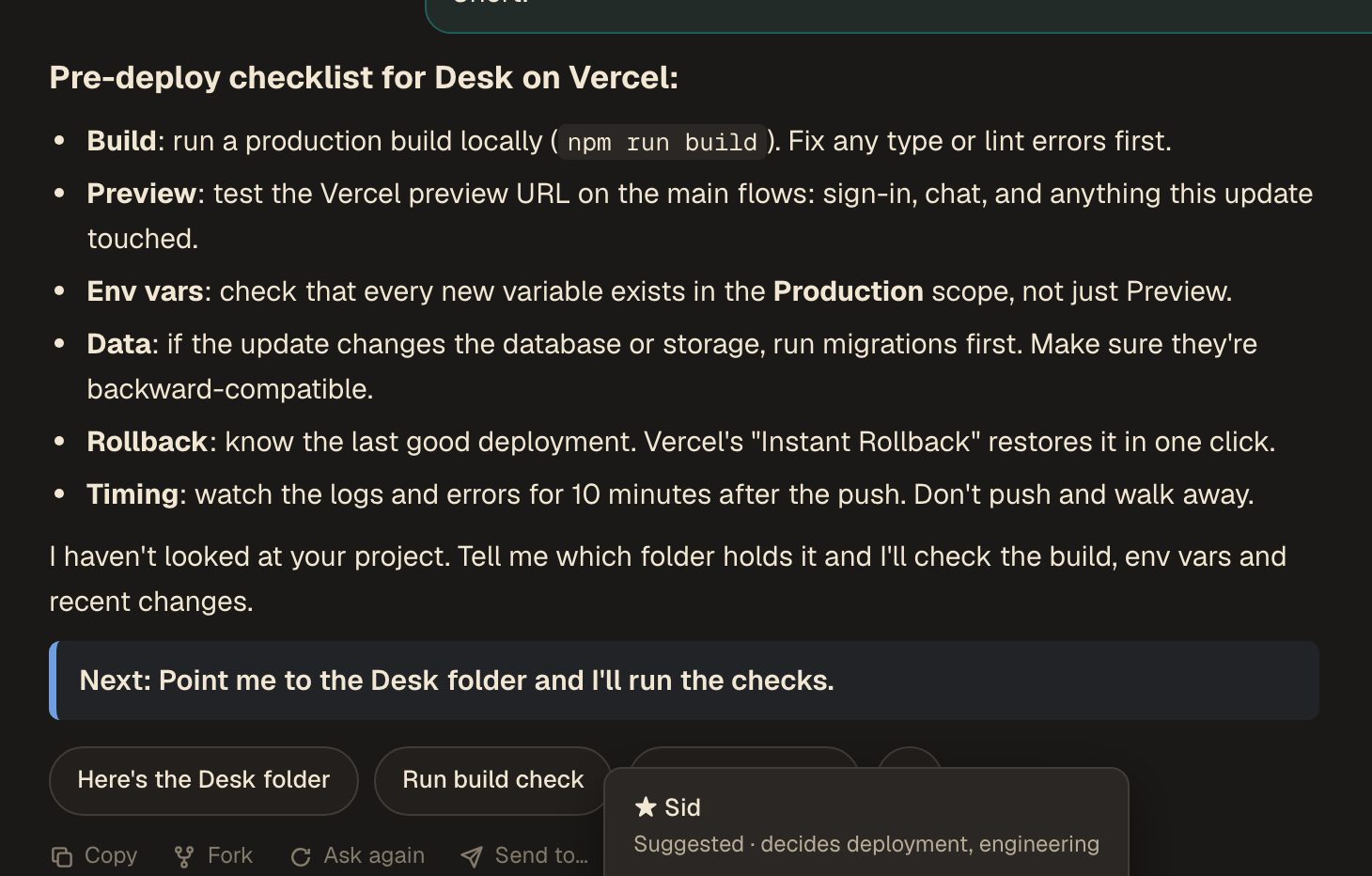
They lead with the answer. The replies you'd likely send next are one tap away, and Send to… suggests who on your team should see it.
Scan a code from Desk on your computer and add it to your home screen. It works while your computer is on with Desk open.
Install with one line instead, nothing to download: press the Windows key, type PowerShell, press Enter, right-click in the window to paste this, and press Enter. (Read the script first if you like.)
irm https://pantheon-desk.vercel.app/install.ps1 | iex
curl -fsSL https://pantheon-desk.vercel.app/install.sh | sh
Mac or Linux:
curl -fsSL https://pantheon-desk.vercel.app/install.sh | sh -s -- 'PASTE YOUR INVITE LINK HERE'
Windows (PowerShell):
$env:PDESK_INVITE='PASTE YOUR INVITE LINK HERE'; irm https://pantheon-desk.vercel.app/install.ps1 | iex
Updates: it downloads new versions by itself. When it says one is ready, press Cmd+R on a Mac or F5 elsewhere to switch to it.
Something odd? Email Praneet what you were trying to do and what happened. That's what this test is for.
Fair question for something that reads your calendar and runs an AI on your computer. Here's exactly what it does.
Desk isn't signed with Apple or Microsoft yet, which costs money and paperwork we'll do after the beta. Until then your computer can't confirm who made it, so it warns you once. That's expected. On a Mac, the one-line Terminal install removes macOS's "downloaded from the internet" flag from the app it has just downloaded and checked, so it doesn't ask. Read the scripts first if you like: Mac and Linux · Windows.
Check a download is ours by comparing its fingerprint (SHA-256):
PantheonDesk.dmg        5560bb2890d287c2a3ead751fb5867da4a16e024238427d7d21a7a5a112d6b08
PantheonDesk-Setup.exe  ffdf5c7397031846dc39c962d282a4bdc6319c79573aff045992d392ce29b7a6
On a Mac: shasum -a 256 ~/Downloads/PantheonDesk.dmg · On Windows (PowerShell): Get-FileHash $HOME\Downloads\PantheonDesk-Setup.exe
Mac: quit Pantheon Desk, drag it from Applications to the Trash, then delete the folders ~/Library/Application Support/PantheonDesk and ~/.pantheon-desk. If you installed with the Terminal line, also delete ~/Library/LaunchAgents/network.joinpantheon.desk.plist (it starts Desk when you log in).
Windows: quit Pantheon Desk, then delete the folder %LOCALAPPDATA%\PantheonDesk, the folder %USERPROFILE%\.pantheon-desk, and the Pantheon Desk shortcuts in the Start menu, on the desktop and in the Startup folder.
Linux: delete ~/.local/share/pantheon-desk, ~/.pantheon-desk and the two pantheon-desk.desktop files in ~/.local/share/applications and ~/.config/autostart.
Pantheon itself (its background agent, alerts and the connections to your coding agents): run pantheon uninstall in a terminal. It lists everything it removes.
Price: Desk is free. Pantheon is free for teams of two (up to 3 teams). Once a team passes two people, it's $50 a person a month, with the first month at $30. Details
Privacy · Terms · Security · Made by Pantheon, Abu Dhabi · praneet@joinpantheon.network